



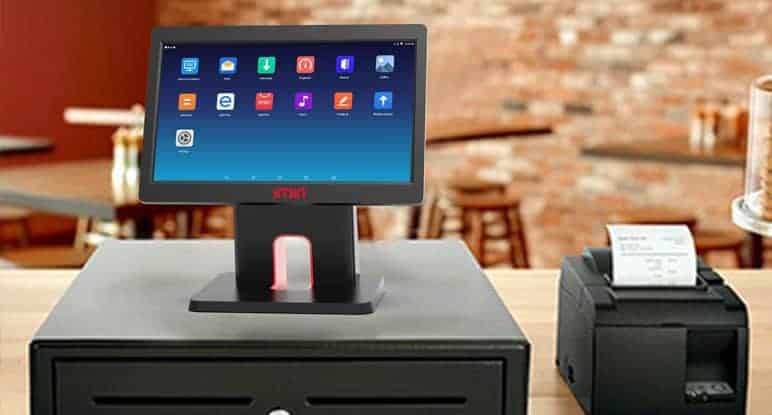
In today’s competitive business environment, efficiency, accuracy, and customer satisfaction are essential for growth and profitability. Many businesses are turning to modern technology to streamline operations, reduce manual errors, and enhance decision-making. One of the most impactful upgrades a business can make is implementing a desktop POS machine. This all-in-one system combines hardware and software to manage sales, payments, inventory, and reporting, transforming the way businesses operate.
Why Upgrade to a Desktop POS Machine
Upgrading to a desktop POS machine provides a significant improvement over traditional cash registers or manual systems. Unlike basic cash registers, desktop POS machines integrate multiple functions into a single platform. They not only handle transactions but also track inventory, generate detailed reports, and provide insights into business performance. A professional Desktop POS Machine can automate routine tasks, minimize human errors, and ensure that your business operations run smoothly.
Businesses that adopt a desktop POS machine often see immediate benefits in efficiency and productivity. For example, orders can be processed faster, receipts printed instantly, and payments accepted through multiple methods such as cash, credit cards, mobile wallets, and contactless payments. This flexibility improves customer satisfaction and encourages repeat business, while also simplifying day-to-day management for business owners.
Streamlining Sales and Transactions
One of the primary advantages of a desktop POS machine is its ability to streamline sales and transaction processes. With a touchscreen interface and integrated peripherals such as barcode scanners and receipt printers, staff can process orders quickly and accurately. Errors caused by manual entry are greatly reduced, and real-time updates ensure that sales data is always current.
For businesses in retail, hospitality, or food service, this feature is particularly valuable during peak hours when efficiency is critical. Faster checkout times and accurate transactions not only enhance the customer experience but also increase the overall capacity for handling high volumes of sales without additional staff.
Enhanced Inventory Management
Inventory management is another area where a desktop POS machine makes a significant difference. Each sale automatically updates stock levels in real time, providing an accurate overview of inventory at any given moment. Businesses can set reorder thresholds, receive alerts when stock is low, and even generate automated purchase orders in some systems.
This integration reduces the risk of overstocking or stockouts, optimizes storage costs, and ensures that popular products are always available for customers. Accurate inventory tracking also supports cost control and helps prevent losses due to theft, misplacement, or wastage.
Comprehensive Reporting and Analytics
A desktop POS machine offers extensive reporting and analytics capabilities, enabling business owners to make informed decisions. Sales data, product performance, and employee activity can all be monitored through customizable reports. Managers can analyze trends, identify peak sales periods, and evaluate which products or services are performing best.
These insights allow businesses to adjust pricing, plan promotions, and allocate resources effectively. For multi-location operations, desktop POS machines provide centralized reporting, allowing owners to monitor performance across all branches from a single interface. This capability is invaluable for scaling operations and maintaining consistency across multiple locations.
Employee Management and Security
Desktop POS machines also enhance employee management and security. Role-based access control allows business owners to assign specific permissions to staff members, restricting access to sensitive functions such as refunds or inventory adjustments. Some systems offer biometric authentication or secure logins to prevent unauthorized use.
Tracking employee performance, including sales and transaction activity, helps managers identify high performers, monitor accountability, and plan schedules efficiently. By combining operational oversight with secure access, desktop POS machines ensure both efficiency and safety in business operations.
Future-Proofing Your Business
Investing in a desktop POS machine is also a step toward future-proofing your business. Modern systems are designed to support evolving technologies, including cloud integration, mobile payments, and advanced reporting tools. This adaptability ensures that your business can remain competitive and responsive to customer demands and market changes.
Upgrading to a desktop POS machine is not just about improving daily operations; it is a strategic investment that enhances efficiency, security, and decision-making. The system provides a scalable, reliable platform that grows with your business, ensuring long-term benefits and operational success.
Conclusion
Upgrading your business system with a desktop POS machine offers transformative advantages for operations, customer experience, and overall business management. From streamlined sales and payments to enhanced inventory control, detailed reporting, and employee management, a desktop POS machine integrates essential business functions into a single, efficient platform. For businesses looking to modernize operations, reduce errors, and improve profitability, implementing a desktop POS machine is a practical and strategic choice that delivers immediate and long-term benefits.